

DANTE COMPANY
Dante
Tools

Developer, image, and text tools in one place

From passwords and hashes to JSON validation, image editing, format conversion, and schedule sharing: use 30 free tools right in your browser, with nothing to install and no account required.

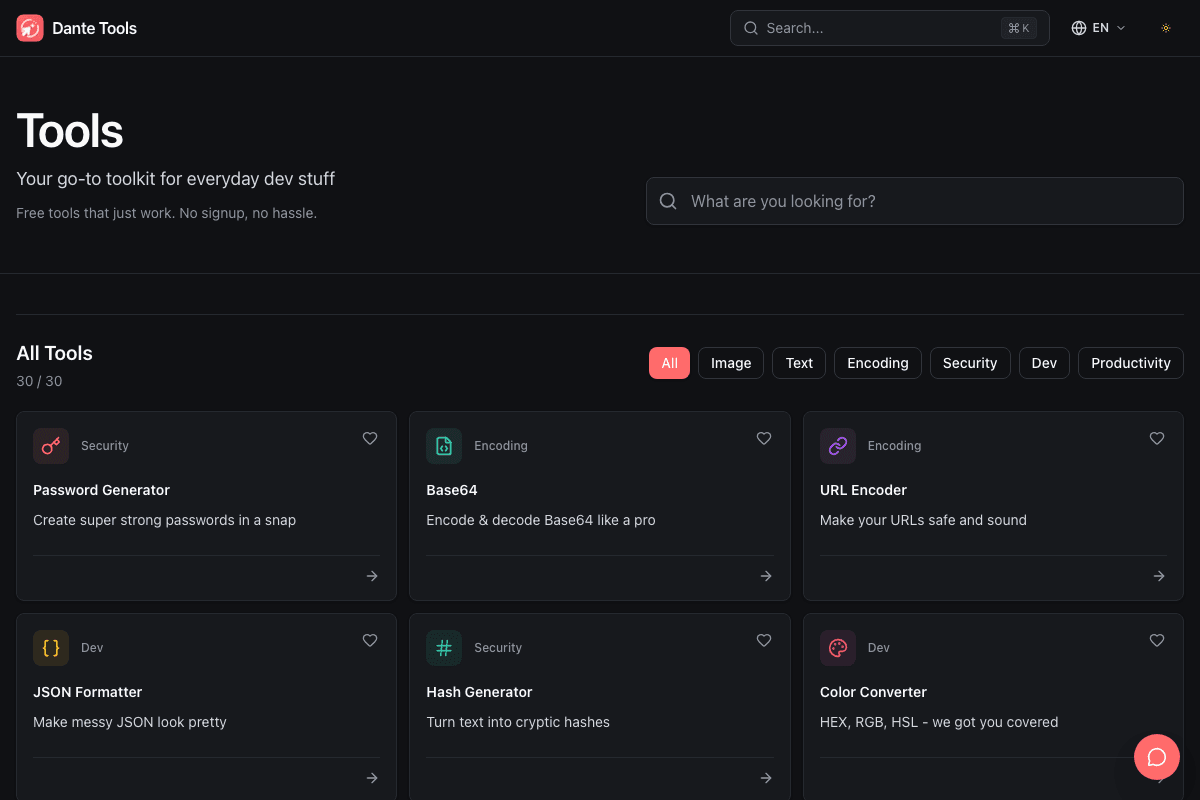
Dante Tools home screen with search, category filters, and tool cards

Move faster through quick tasks and recurring work

Handle the generation, conversion, validation, and image-editing jobs you meet every day without installing a separate app for each one.

30 practical tools

Includes 11 image, 10 developer, 3 security, 3 text, 2 encoding, and 1 productivity tool.

Security Tools

Create strong passwords, calculate MD5 and SHA hashes, and inspect JWT headers and payloads.

Image Tools

Compress, resize, crop, and convert images, or make favicons, palettes, filters, composites, and pixelated effects.

Developer Tools

Format and validate JSON, generate UUIDs, test regex, work with Unix time and Cron, compare text, and inspect metadata and browser details.

Use now, find it faster next time

Run tools without an account or installation, then return through search, categories, favorites, and recent history.

30 Tools · 6 Categories

Explore every capability by category

Whether you need a one-off conversion or repeat the same developer task every day, search by purpose or narrow the collection by category.

Image editing and conversion

Reduce file size and dimensions, crop what you need, and process images with the right format or effect.

Image Compressor · Image Resizer · Image to Base64 · Image Converter · Favicon Generator · Color Extractor · Image Cropper · SVG to PNG · Image Filter · Image Combiner · Image Pixelator

Development and debugging

Clean up data, test expressions, and inspect time, schedules, metadata, and the current browser environment.

JSON Formatter · Color Converter · UUID Generator · Regex Tester · Unix Timestamp · Cron Generator · Diff Checker · YAML ↔ JSON · OG Image Viewer · Browser Info

Security and tokens

Create safer credentials and quickly inspect common hash algorithms and JWT structure.

Password Generator · Hash Generator · JWT Decoder

Encoding and decoding

Convert text and URLs in either direction to the formats required by services and APIs.

Base64 Encoder/Decoder · URL Encoder/Decoder

Text and content

Create QR codes, generate placeholder copy, and preview rendered Markdown in real time.

QR Code Generator · Lorem Ipsum · Markdown Preview

Productivity and scheduling

Mark everyone's available dates with colors and save the result as a shareable calendar image.

Availability Calendar

Practical Workflows

Chain tools in the order your work happens

Dante Tools is more than a loose collection of features. It is a workbench for finishing the small steps that repeatedly appear in development and content work.

01

When debugging API responses and authentication

Format hard-to-read responses, decode transported values, and inspect tokens and changes in one continuous flow.

  1. 1Use JSON Formatter to organize the response and catch syntax errors.
  2. 2Restore transformed values with the Base64 and URL decoders.
  3. 3Inspect JWT headers, payloads, and expiration times.
  4. 4Compare successful and failed responses line by line with Diff Checker.
02

When preparing images for the web or an app

Turn one source image into the dimensions and formats you need, then optimize its size and create derivative assets.

  1. 1Set the visible area and resolution with Image Cropper and Image Resizer.
  2. 2Reduce PNG, JPEG, and WebP file sizes through conversion and compression.
  3. 3Create derived assets with SVG to PNG and Favicon Generator.
  4. 4Extract representative colors for your design system and content.
03

Before sharing a document or link

Review your draft, check how a shared link will appear, and prepare a QR code before publishing.

  1. 1Generate placeholder copy of the right length with Lorem Ipsum.
  2. 2Check headings, lists, and code blocks in Markdown Preview.
  3. 3Inspect share-card images and metadata with OG Image Viewer.
  4. 4Save a URL or message as a scannable image with QR Code Generator.
04

When coordinating schedules and environments

Collect team availability, express automation schedules, and capture the browser details needed to reproduce an issue.

  1. 1Mark available and unavailable dates in Availability Calendar and share the result.
  2. 2Convert between system time and readable dates with Unix Timestamp.
  3. 3Express batch and automation schedules with Cron Generator.
  4. 4Copy device, screen, browser, and network details from Browser Info.

Built for Repeat Use

Find a familiar tool even faster next time

Search, categories, favorites, and recent history keep a growing tool collection easy to navigate.

Search by name instantly

Enter a tool name or goal in Quick Search or the home search box and jump straight to it.

Filter across six areas

Narrow the list to image, text, encoding, security, developer, or productivity tools.

Pin frequently used tools

Tap the heart on a tool card to collect favorites and open them immediately in your next session.

Return to recent work

Recently used tools are remembered in your browser so repeat work takes fewer steps.

All 30 Tools

Open any of the 30 tools from here

The complete collection is grouped by purpose. Once you find the name you need, jump straight to that tool without leaving this product overview.

Start using the tools now

Choose what you need and get to work right away. No signup or installation required.